Home Energy Credit HELP!

I bought an energy star door and had it installed. Where do I enter it? The options are only for qualified solar electric, qualified Solar heating, qualified small wind energy and qualified geothermal heat pumps. What does an energy efficient door go under???? I don’t want to put in the wrong place but I don’t wanna miss my credit. I shouldn’t have to pay another $7.99 to ask support this question either. I paid for the product and this general question should be able to hopefully be answered by the freetaxusa team. Or someone who knows the answer. Thanks in advance
Answers
-
figured it out. thanks
0 -
Hi Shann, I'm glad you were able to figure things out! If you have any other questions, I want to make sure you are aware that help is available. We provide customer support to all of our customers (without the need to pay for an upgrade). To send customer support a message, just sign in to your account and click on 'Support' in the upper right corner of the screen. You should get a response pretty quickly.
In the meantime, for anyone else who has this question, you can enter your energy efficient home improvement costs by selecting Deductions/Credits > Common Deductions/Credits > Home Energy Credit from the menu. Answer yes when asked if you made energy efficiency improvements to your home. Enter your home information.
You will eventually come to the 'Energy Efficiency Improvement Information' screen, where you are asked, "Did you make qualified energy efficiency improvements to your main home during 2023?" If you answer yes there, the following screen will prompt you to enter your costs for Energy Star Program exterior doors.
0 -
Thank you. I followed those steps but got stuck at the screen I mentioned. I put a random amount in one of the qualified fields. Only then did it take me to the screen where I was able to enter specific information for the exterior door. I then backed out to erase the random number and it kept the door info after that. Prior to that if you didn’t enter something in one of the qualified fields it does not take you eventually to the 'Energy Efficiency Improvement Information' screen. That’s why I was so lost. I was like the door doesn’t fit any of those categories. To leave it blank takes you out of the section.
0 -
Hi Shann,
Thank you for your feedback. The Energy Credits have been added on by congress and are always changing. So that section can be a little complicated to navigate. It is something we are looking at to make it more user friendly.
1 -
Having similar issues where unable to enter information to claim Energy Star HVAC installation cost
0 -
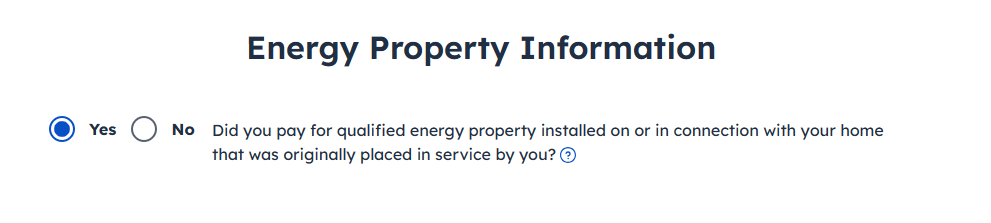
I'll include screenshots below to help you navigate to the section where you can enter your Energy Star HVAC information.

Yes will need to be selected for the first question.

Next, make sure your home has been entered. If you need to enter your home, it will look like the second screenshot below.


These will all need to be selected as Yes.

Leave this page blank if it doesn't apply.

Leave this page blank if it doesn't apply.

Select Yes.

Here, you will find the space to enter your Energy Efficient HVAC costs.
 1
1 -
I see that this info is specific for 2024. Does this make a difference? After I answer yes and input my home address. The next screen asks about geothermal installations and then it says Do Not include electric or natural gas heat pump costs. The necessary screen isn't popping up for me to fill in the costs of replacing my HVAC system. What am I not doing correctly?
0 -
Hi TaeW,
Yes, the year makes a difference. Home energy credits have been changing every year, depending on what Congress passes. Our software for the current year, support the most current home energy credits.
If the credit is not there, then it has expired. You can always contact Customer Support for assistance with the most current Home Energy Credit.0